
Snitchnotes Team
How Does a Capacitive Touchscreen Know Where You Touched?
How Does a Capacitive Touchscreen Know Where You Touched?
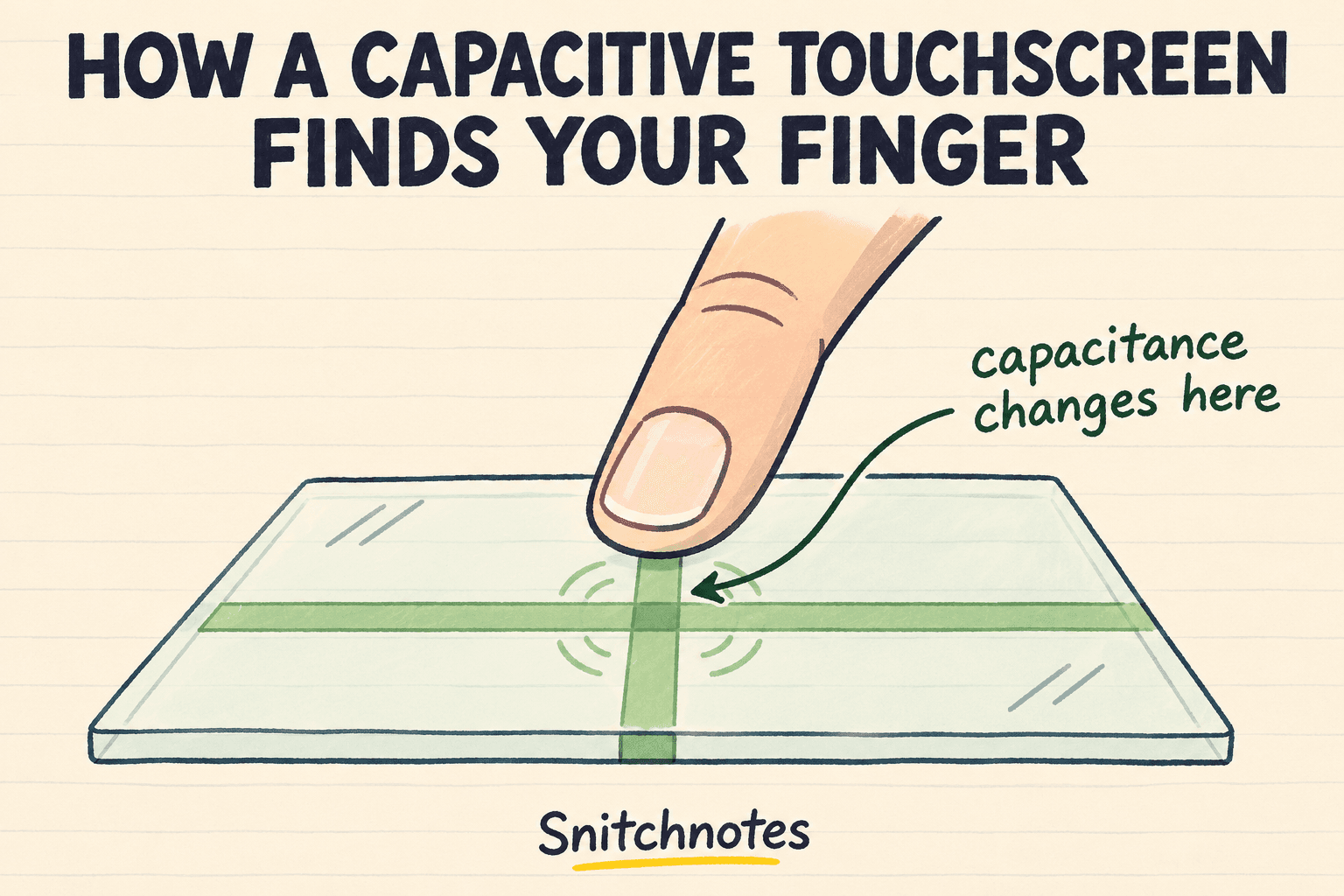
A capacitive touchscreen finds your touch by repeatedly measuring a transparent grid of conductive electrodes beneath the glass. Your finger is conductive, so bringing it close changes the electrical coupling, or capacitance, around nearby electrodes. The touchscreen controller compares those measurements with its untouched baseline, finds where the change is strongest, and combines neighboring signals to estimate an x-y coordinate.
The screen is not mainly detecting pressure, and your finger does not need to contact bare electronics. It is disturbing a tiny electric field through the cover glass. That makes an invisible electrical measurement feel like a direct conversation with the pixels underneath.
The mechanism in five steps
- Transparent conductive electrodes form rows and columns, often with diamond-shaped patterns at their crossings.
- A controller drives electrodes with changing voltages and scans the grid for a stable baseline measurement.
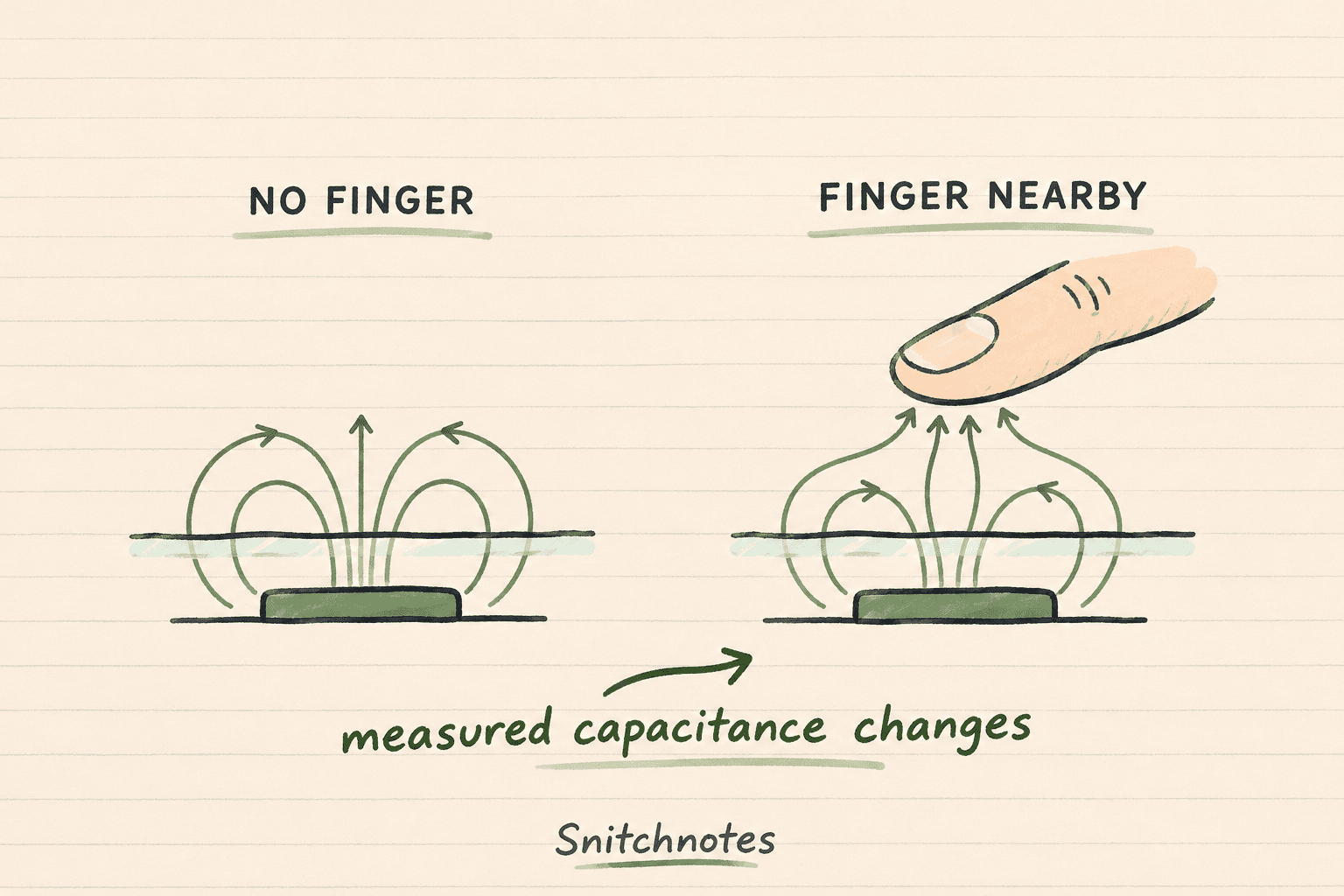
- A conductive finger approaches the glass and alters the electric field near several electrode intersections.
- The controller detects the small changes, rejects noise, and identifies the cluster with the strongest response.
- Software combines the relative responses of neighboring electrodes to estimate the touch position and report it to the operating system.
This common arrangement is called projected capacitive touch, often shortened to PCAP or pro-cap. The electric field projects through a nonconductive cover such as glass, so the sensing layer can remain protected below the surface.
What your finger changes
Capacitance describes how a conductor arrangement stores separated electric charge for a given voltage. In a touchscreen, the useful quantity is not one fixed capacitor value but a tiny change from a learned baseline. Texas Instruments notes that touch changes can be on the order of picofarads or hundreds of femtofarads, so the electronics must distinguish a very small signal from electrical noise and slow environmental drift.
Many modern touch surfaces use mutual capacitance. One group of electrodes transmits a changing signal and another group receives it. Their intersections behave as measurement nodes with electric fields coupling the conductors. A finger near an intersection provides another conductive path for the field, changing the coupling measured there.
The effect spreads across more than one node because a fingertip is wider than the electrode spacing and electric fields do not stop at a mathematical point. That apparent blur is useful: the controller can compare the whole local pattern instead of making a crude choice between two grid lines.
A 5-by-8 grid example
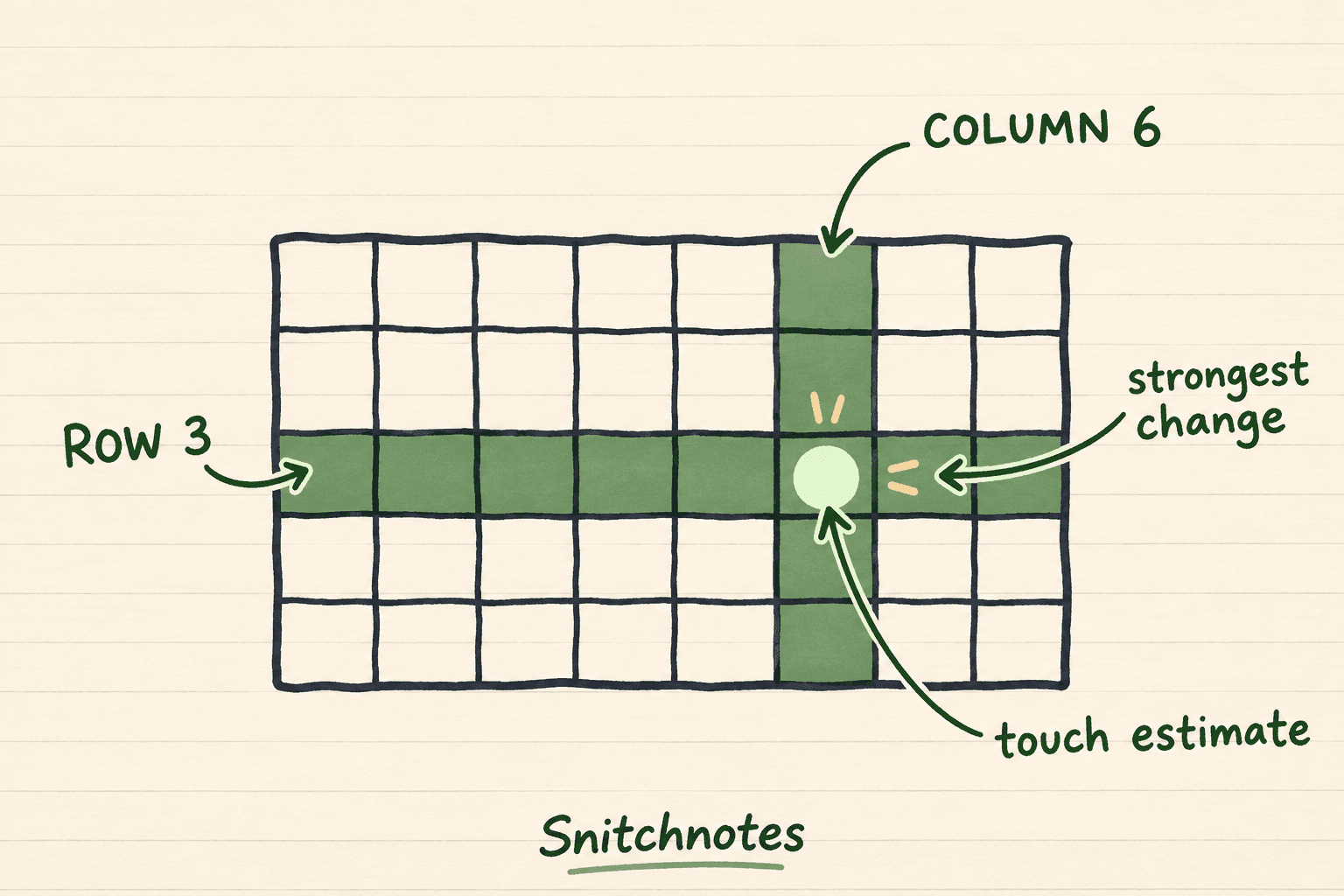
Imagine a simplified screen with 5 horizontal sensing rows and 8 vertical columns. You touch near row 3 and column 6. The controller's scan shows the largest change around that crossing, while row 2, row 4, column 5, and column 7 show smaller neighboring changes. It now knows the touch lies in that local patch rather than somewhere across the whole display.
Suppose column 6 responds strongly but column 7 also changes a little. The controller can use their relative signal strengths to place the coordinate between the two electrode centers. This interpolation is why a sensor grid can report positions more finely than its physical electrode spacing might suggest. Real algorithms also compensate for sensor geometry, baseline drift, noise, and the shape of a finger contact.
The same scan can reveal several separated clusters, which makes multi-touch possible. The harder problem is not seeing two strong regions; it is tracking them reliably while fingers move, approach each other, or encounter electrical interference. Sensor design and signal processing work together to prevent false or jumpy coordinates.
Why glass works but some gloves do not
Ordinary cover glass is an electrical insulator, but the touchscreen's changing electric field can extend through it. Thickness and dielectric properties matter: a thicker overlay generally weakens the touch signal, so electrode geometry and controller sensitivity must be designed for the actual material stack. The glass protects the conductors without making the field vanish.
A dry wool glove adds distance and insulating material between your conductive finger and the sensor. If the resulting change falls below the detection threshold, the screen ignores it. Conductive-thread gloves create an electrical connection to the finger, while controllers designed for gloved use can operate with higher sensitivity and more careful noise handling. This is a design boundary, not proof that every capacitive screen must reject every glove.
What a touchscreen is not measuring
The most common misconception is that a phone screen senses how hard you press. A standard capacitive touch location comes from an electrical change, not mechanical force. Pressing harder may flatten more of your fingertip against the glass and alter the signal area, but pressure itself is not the basic locating mechanism. Devices that measure force need an additional sensing method.
Capacitive sensing also does not identify your fingerprint ridges or recognize the person touching the display. It reports electrical contact regions and their movement. The operating system turns those coordinates into a tap, swipe, pinch, keyboard press, or drawing stroke by interpreting how the reported points change over time.
Check your understanding
Why does the controller scan a grid?
Separate electrode intersections provide spatial measurements. Comparing changes across rows, columns, and neighboring nodes lets the controller locate a touch rather than merely detect that some part of the screen was touched.
Why can the coordinate fall between electrodes?
A fingertip changes several nearby measurements by different amounts. Interpolation uses those relative signal strengths to estimate a position between physical electrode centers.
Why might a wool glove fail?
The glove increases separation and insulation, weakening the finger's effect on the sensor grid. If the change is smaller than the screen's detection threshold, no touch is reported.
If circuits, electric fields, or sensor diagrams feel slippery in your course material, Snitchnotes can turn your own slides, PDFs, and notes into organized explanations, flashcards, and quizzes for review.
Related concepts
- How QR codes work when damaged: learn how a different everyday input system recovers useful information from incomplete signals.
- How public-key encryption works: follow another invisible technical process from input to output.
- Capacitance and electric fields: the physics that lets conductors influence one another without direct metal-to-metal contact.
Sources
Stanford University: Projected Capacitive Touch Screens
Texas Instruments: CapTIvate Technology Design Guide
Microchip Technology: How 2D Capacitive Touch Technology Works
Zamień wykłady w materiały gotowe na egzamin.
Notatki, quizy, podcasty, fiszki i czat — z jednego uploadu.
Stwórz pierwszą notatkę za darmo